Turn a photo into an Impressionist painting
Claude Monet (1840-1926) painted outdoors, in short, separate dabs of colour, trying to catch the light of a particular moment: haystacks at different hours, poplars by a river, and, in his last decades, the water-lily pond in his garden at Giverny. Paintify asks an AI image model to repaint your photo in that manner.
It suits the subjects Monet painted: landscapes, gardens, water and sky. Monet is on the free plan. Upload a PNG, JPEG or WebP photo of up to 50 MB, choose Monet, and download the painting when it is ready.
Paint my photo like MonetA meadow, a pond and a garden, before and after
These paintings were made with the current image model and are shown unretouched, one result per style.
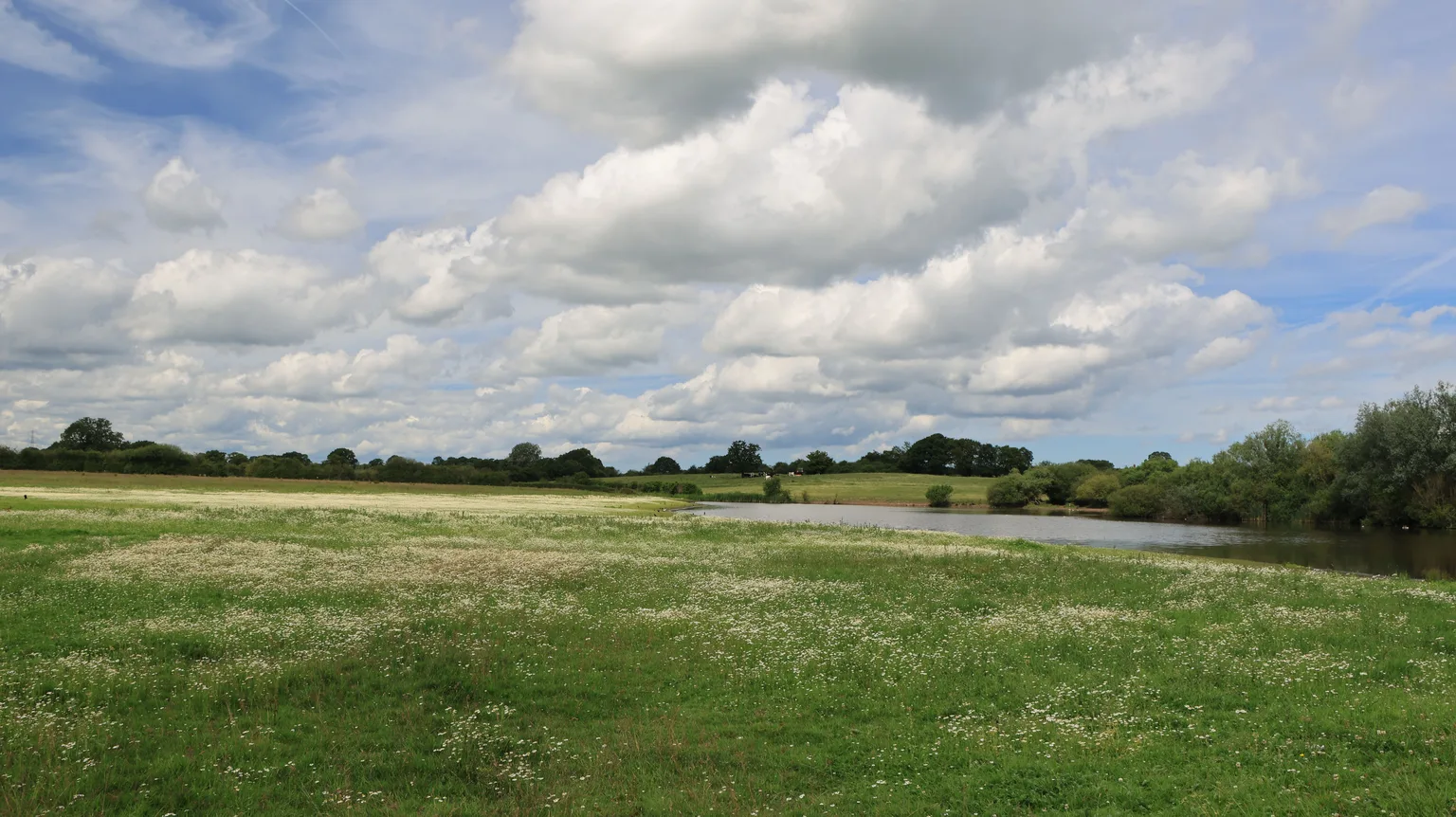
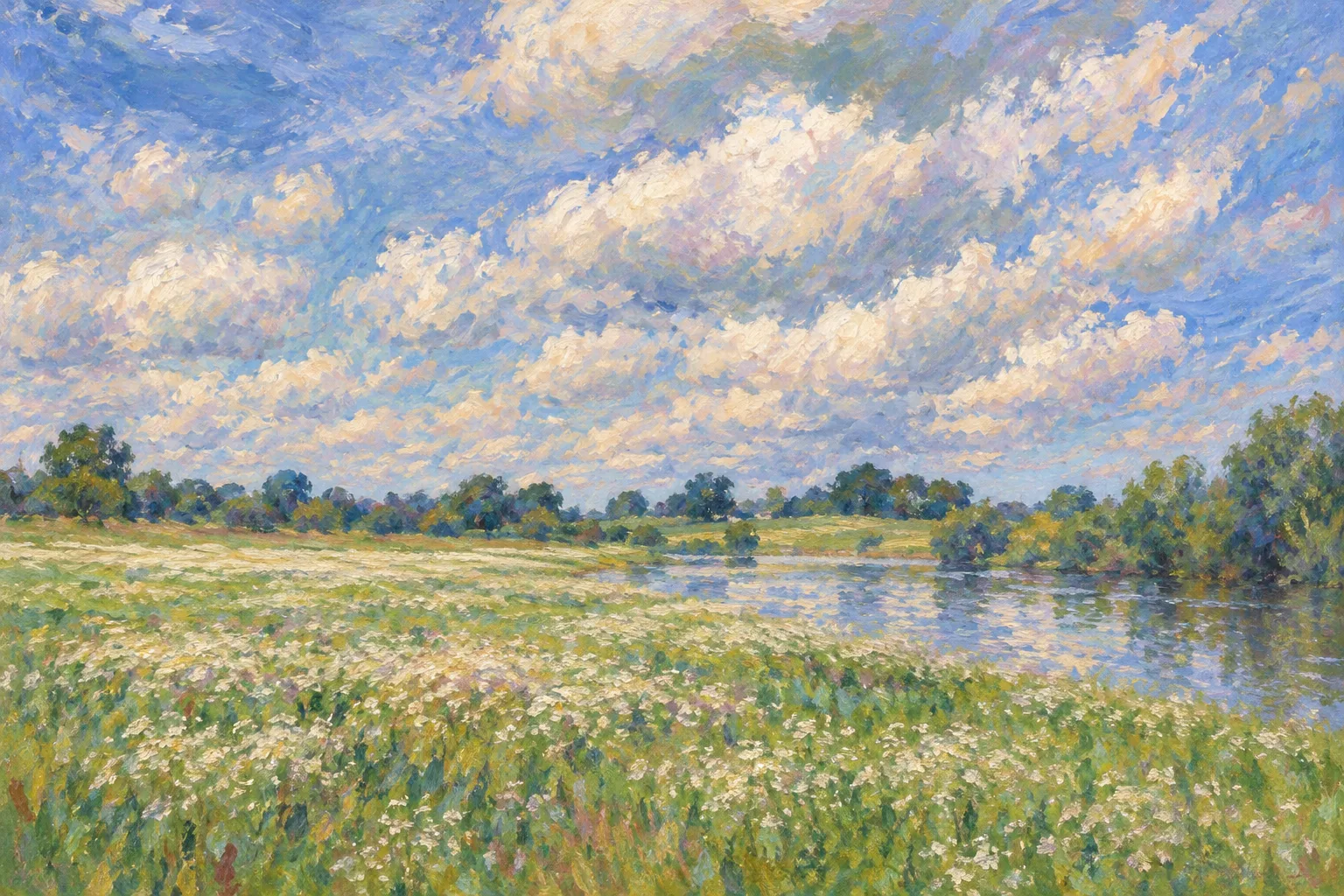
The model made the scene more picturesque than the photo: the river is wider and closer, the scattered flowers became a field of blossom, and the grey clouds turned pink and lavender. The photo was wider than 3:2, so the painting is reframed to 3:2.
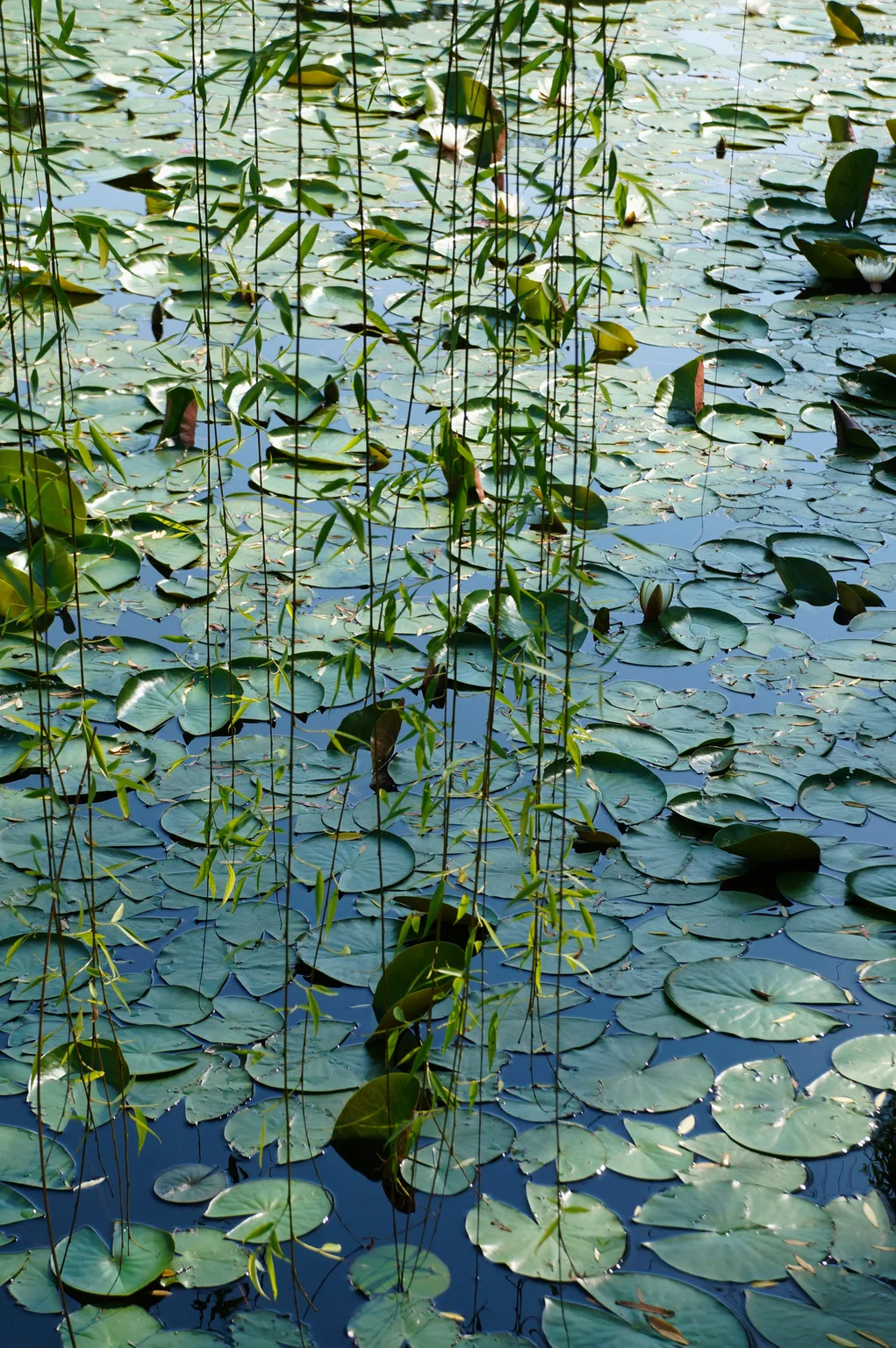
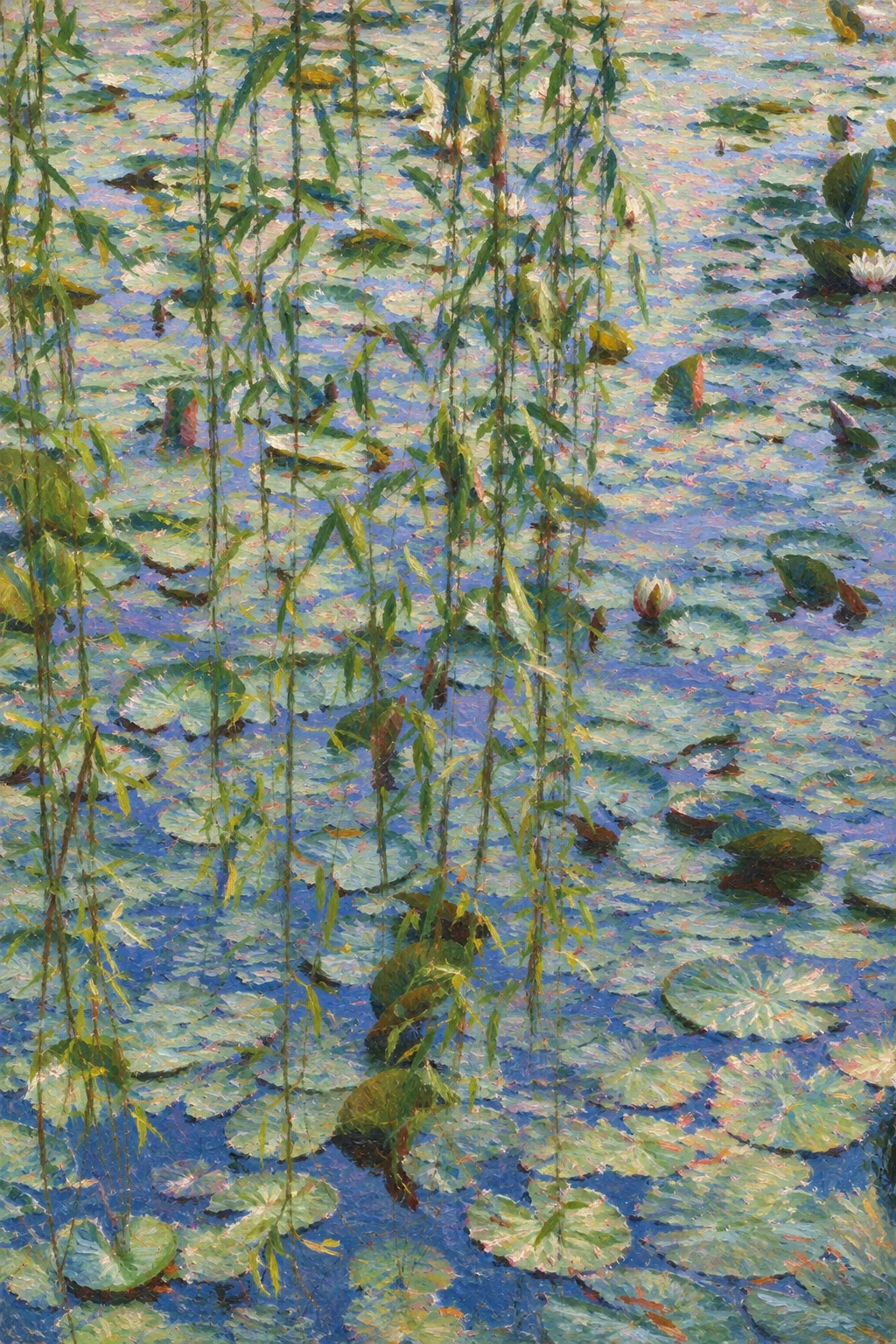
The layout is almost exactly the photo's: every willow strand and most lily pads are where they were. The change is in the surface, which is all small dabs of colour.
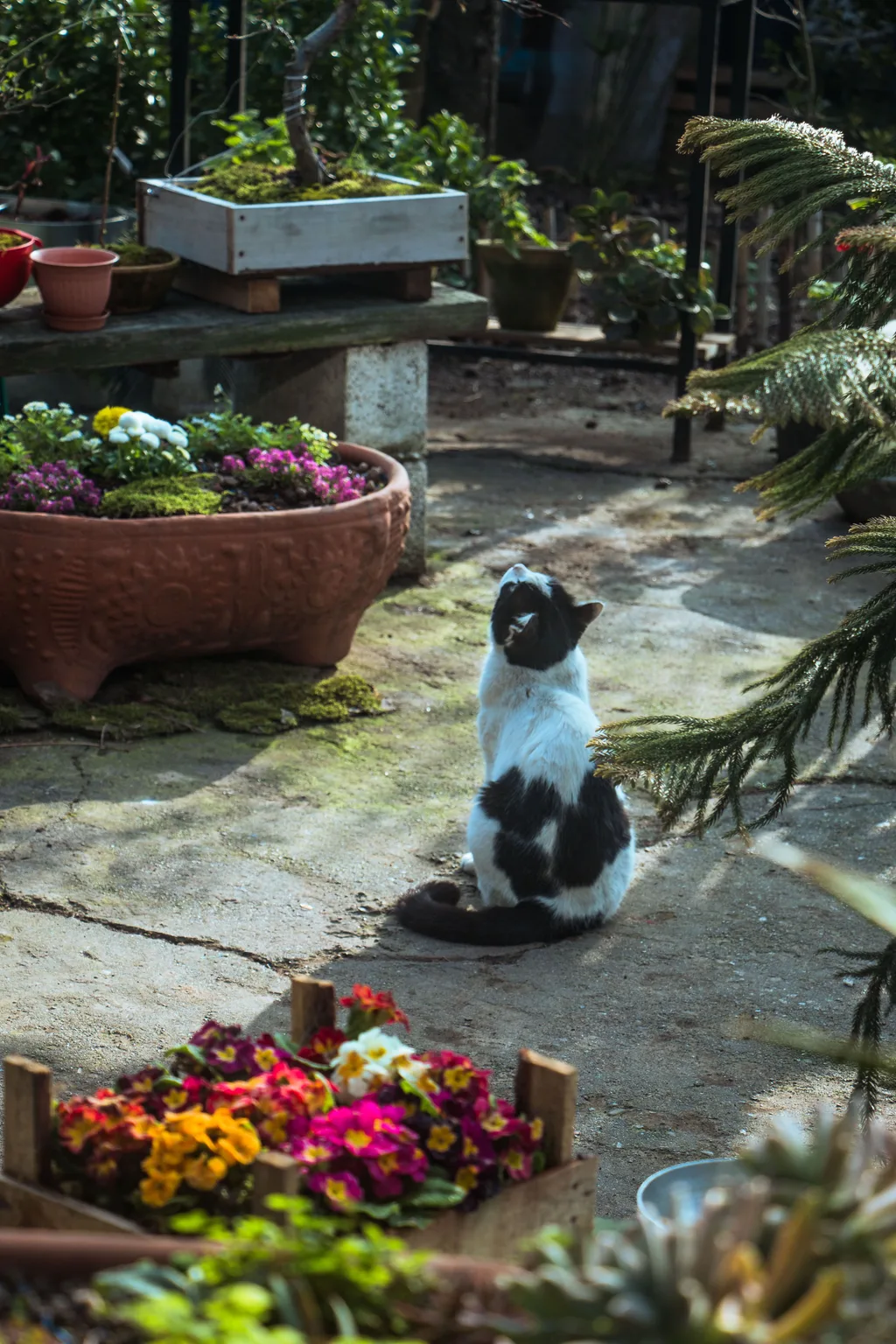
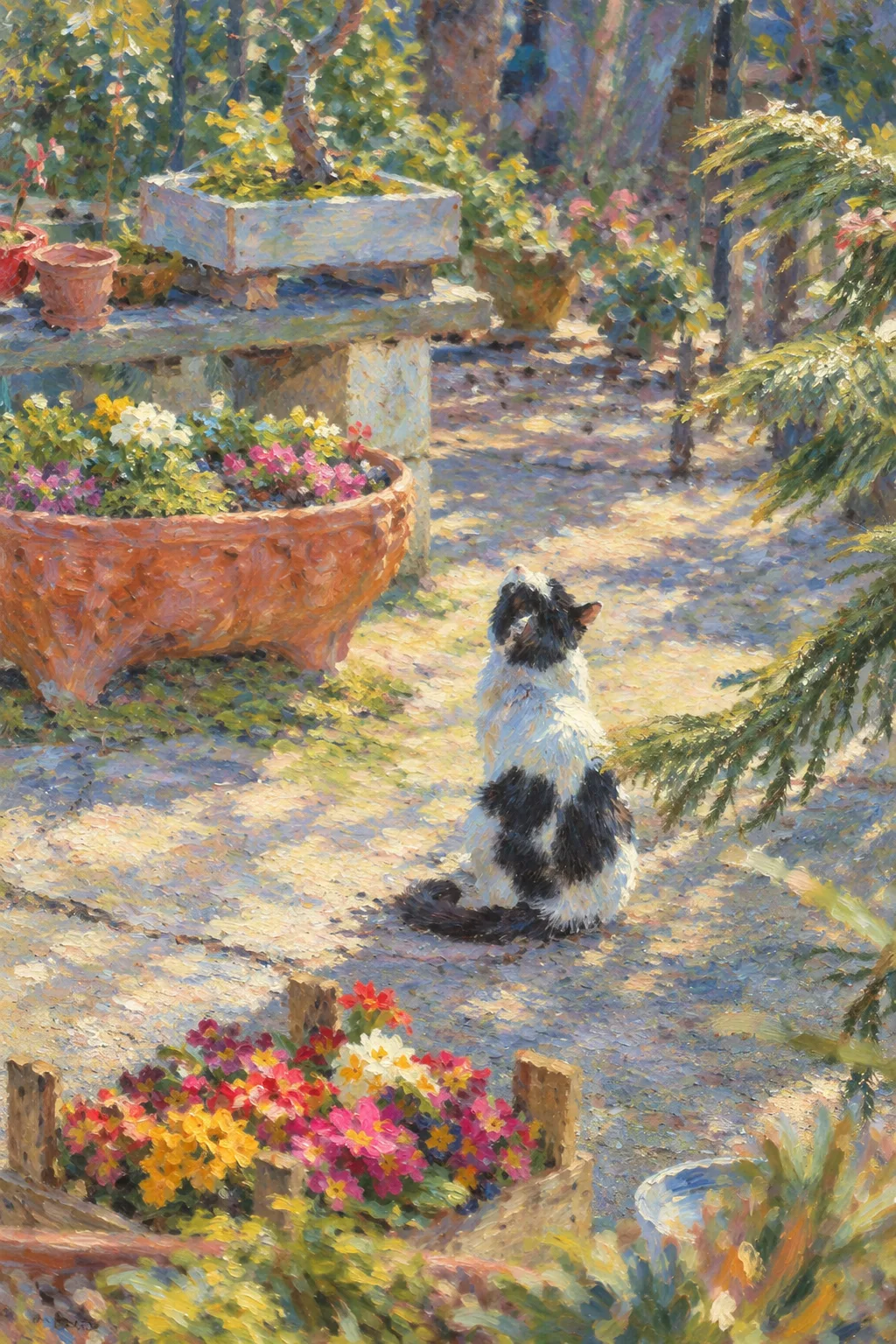
A small subject stays small. The cat is a few strokes in a sunny garden: right for a pet in its place, not for a close portrait of its face.
How it works
- Create a free account. If you sign up with an email address, open the verification email and click the link; the generator opens once your email is verified. Signing in with Google skips this step.
- Upload a photo: PNG, JPEG or WebP, up to 50 MB. Large photos are resized to 2048 px on the long side before upload.
- Choose "Monet" in the style list and press Transform Artwork. A painting usually takes under a minute.
- Download the painting as a PNG. It is also saved to the gallery in your account.
Which photos suit this style
- Choose landscapes, gardens, parks, rivers, lakes and the sea. All three examples above are outdoor scenes, and each came back fully repainted in broken brushwork.
- Sunlit photos suit it, and grey ones come back brighter. The overcast meadow was painted with warm light and pastel clouds.
- Expect the scene to be tidied and prettied: water widened, flowers multiplied, colours warmed. If an exact view matters, compare the result with your photo before you share it.
- Small figures stay small and loose. For a portrait of a pet's face, the pet portrait styles keep far more detail. A close photo can still work in Monet: an old dog lying on its rug kept its face on the pet memorial page.
- The painting comes in one of three shapes, upright 2:3, wide 3:2 or square, chosen from your photo. A panorama comes back at 3:2 and is reframed.
What to expect
- The painting is a new image, not a filter. The model repaints the whole photo, so details can move or change, and two runs on the same photo never give the same result.
- If the first result is not right, you can regenerate it with a short instruction of your own. The model does not always follow it exactly, and each regeneration counts as one image.
- Occasionally the image service declines an ordinary photo. You will see "Photo declined by the image service". Nothing is generated and no image is counted.
What it costs
The free Spark plan includes up to 10 generated images in total. Creator is $5 a month for up to 50 images a month, and Visionary is $20 a month for up to 400 images a month. The full details are on the pricing page.
Questions about the Monet style
- Is it free to try?
- Yes. The free Spark plan includes up to 10 generated images in total, and Monet is one of its styles. Creator is $5/month for up to 50 images a month, and Visionary is $20/month for up to 400.
- Which photos suit the Monet style?
- Outdoor scenes with light and colour: landscapes, gardens, water and sky. Close portraits work less well, because the loose brushwork softens faces and small details.
- Will it change what is in my photo?
- The layout usually stays, but the model reinterprets the scene. In our examples it widened a river, filled a meadow with flowers and turned grey clouds pink. Each run is different, so you can regenerate if you want something closer to the photo.
- Can I use it for a photo of my pet?
- Yes. If the pet is small in the photo, it is painted as part of the scene, as with the cat in the garden above. For a close portrait, the pet portrait styles keep more of the face.
- Can I download the painting?
- Yes. Each result can be downloaded as a PNG and is also saved to your gallery in your account.
- Is this a real Monet?
- No. It is an AI-generated image inspired by Monet's painting style. Paintify is not affiliated with any museum or with Monet's estate.