A painted keepsake of a pet you miss
If your pet has died, a favourite photo of them can become a painted portrait to keep, or to share with the people who knew them. You upload the photo, choose a style, and Paintify repaints it.
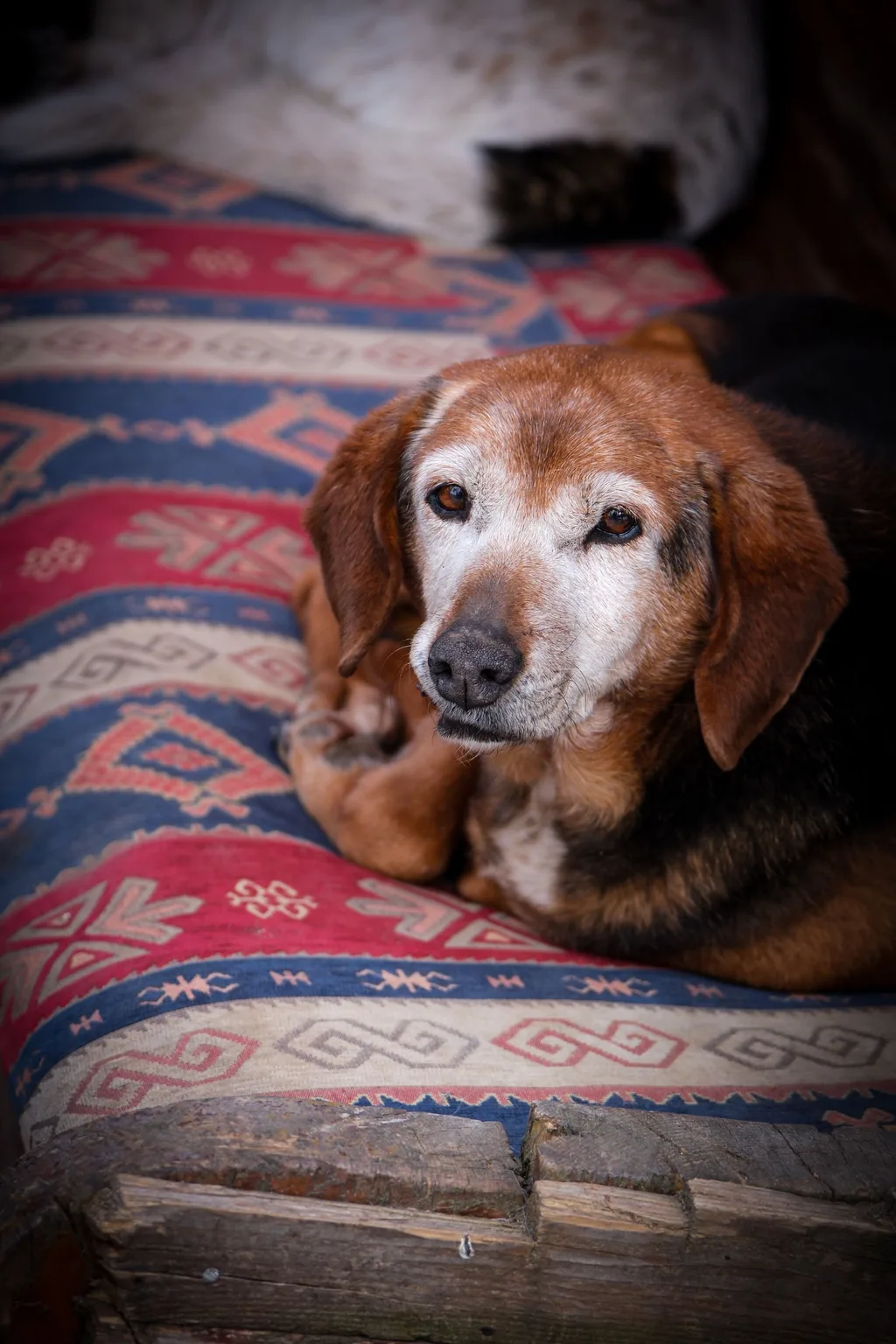
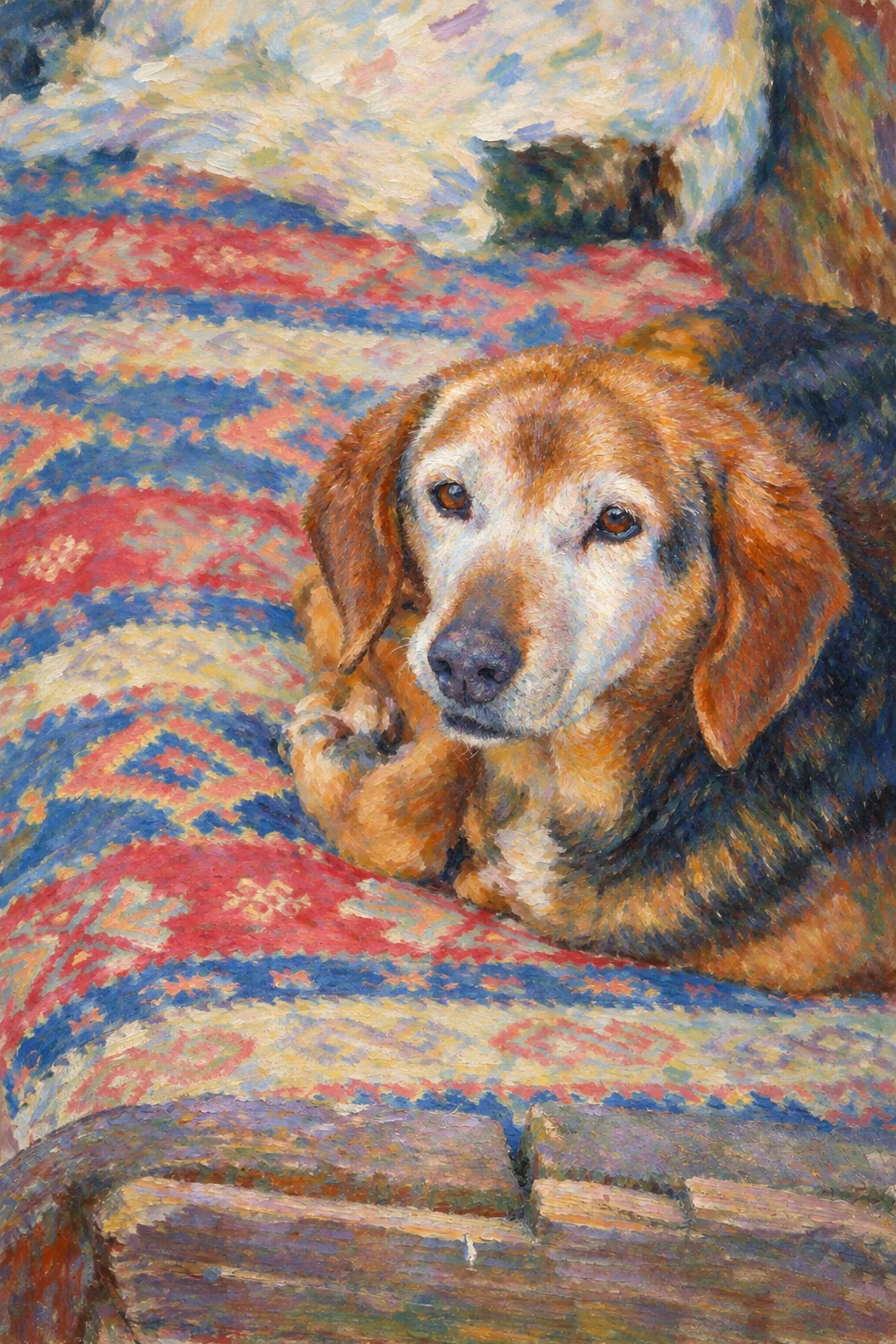
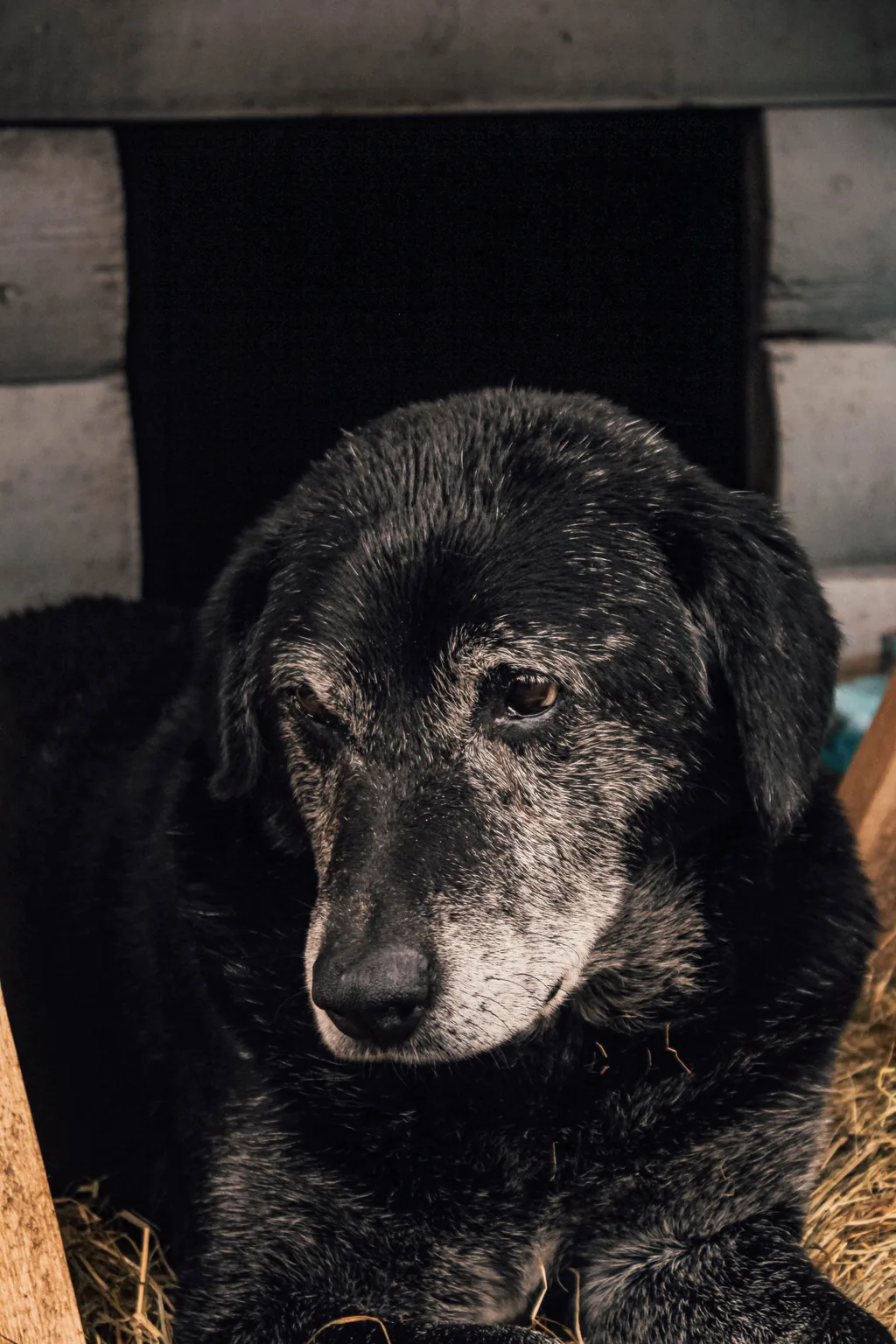
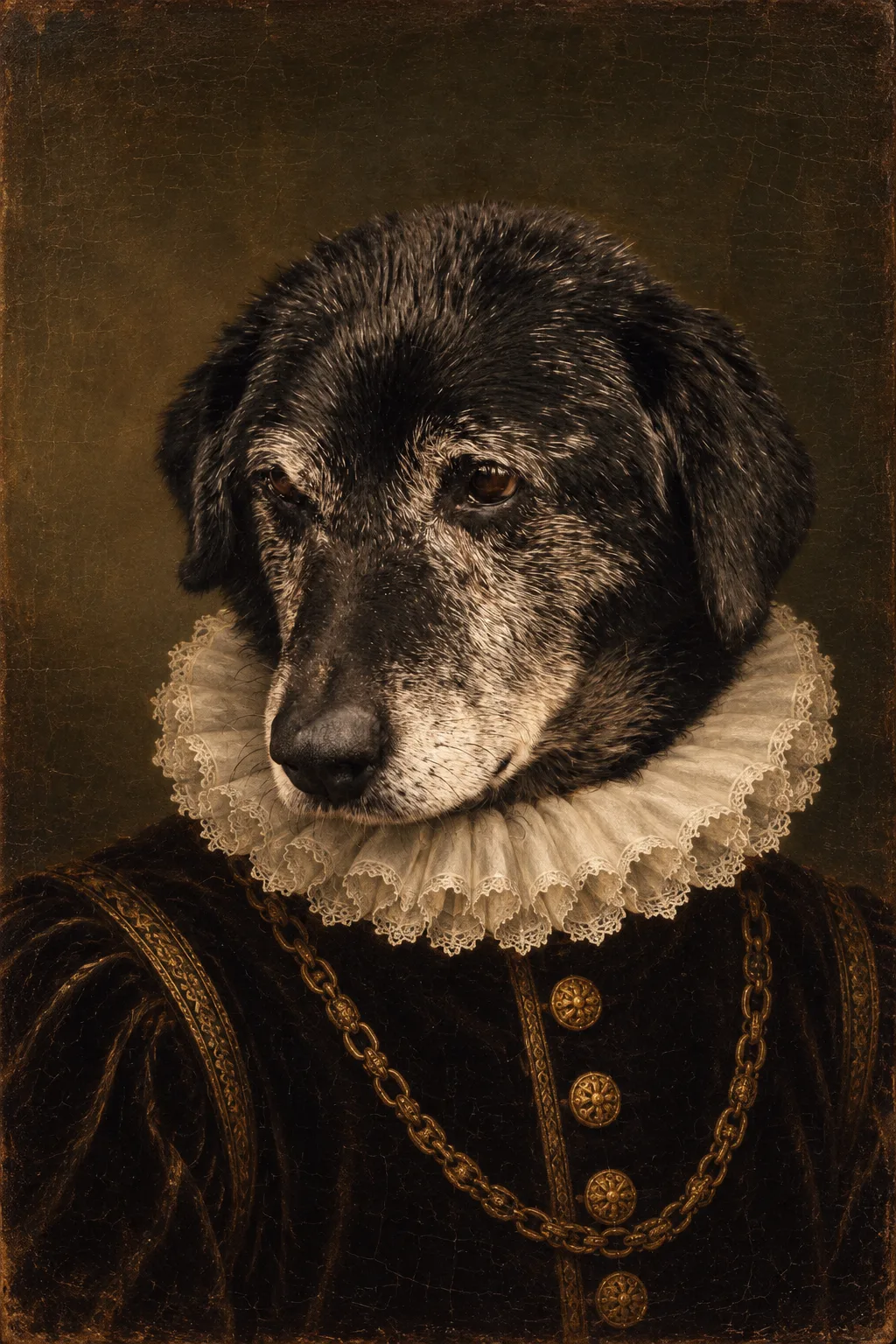
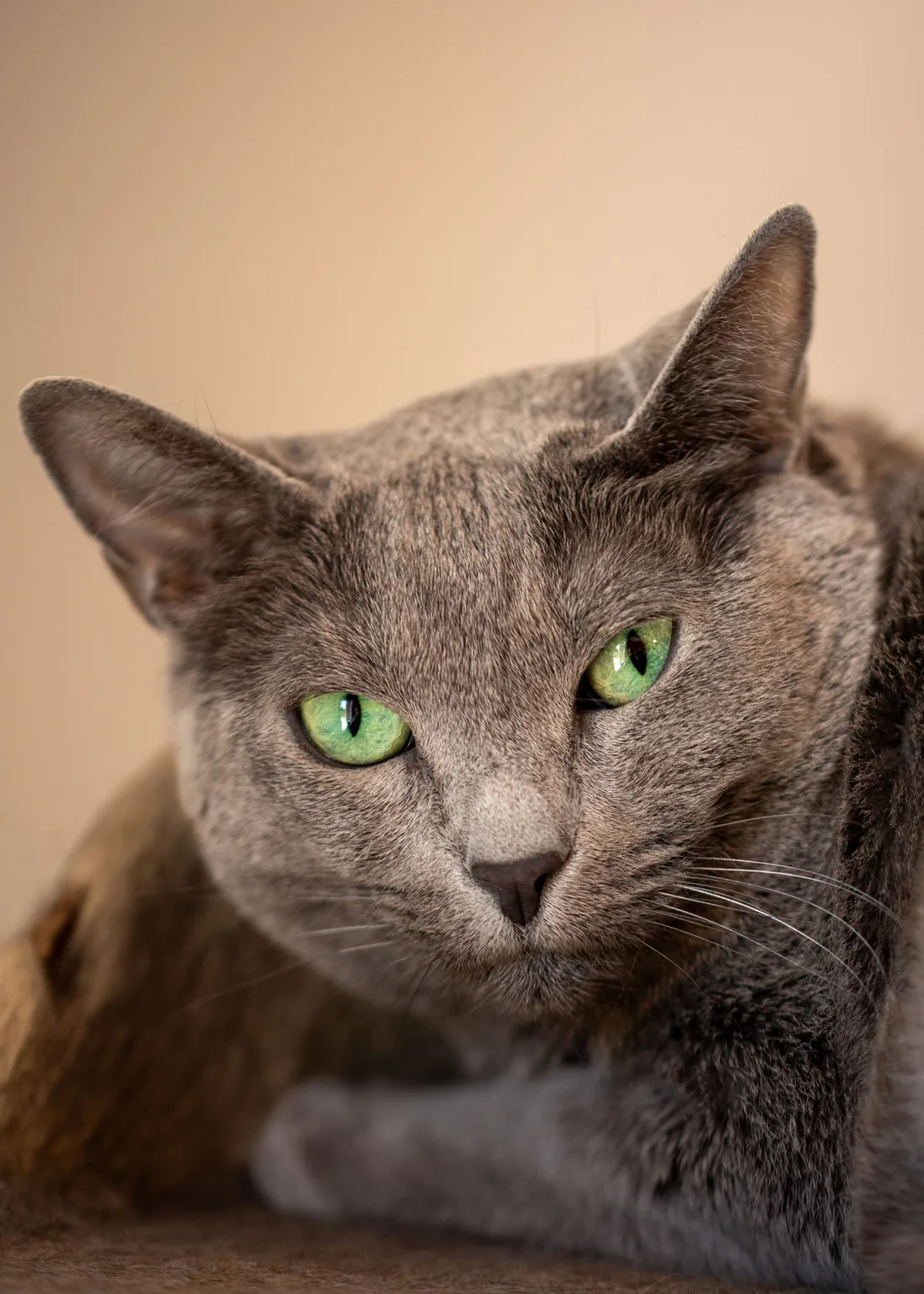
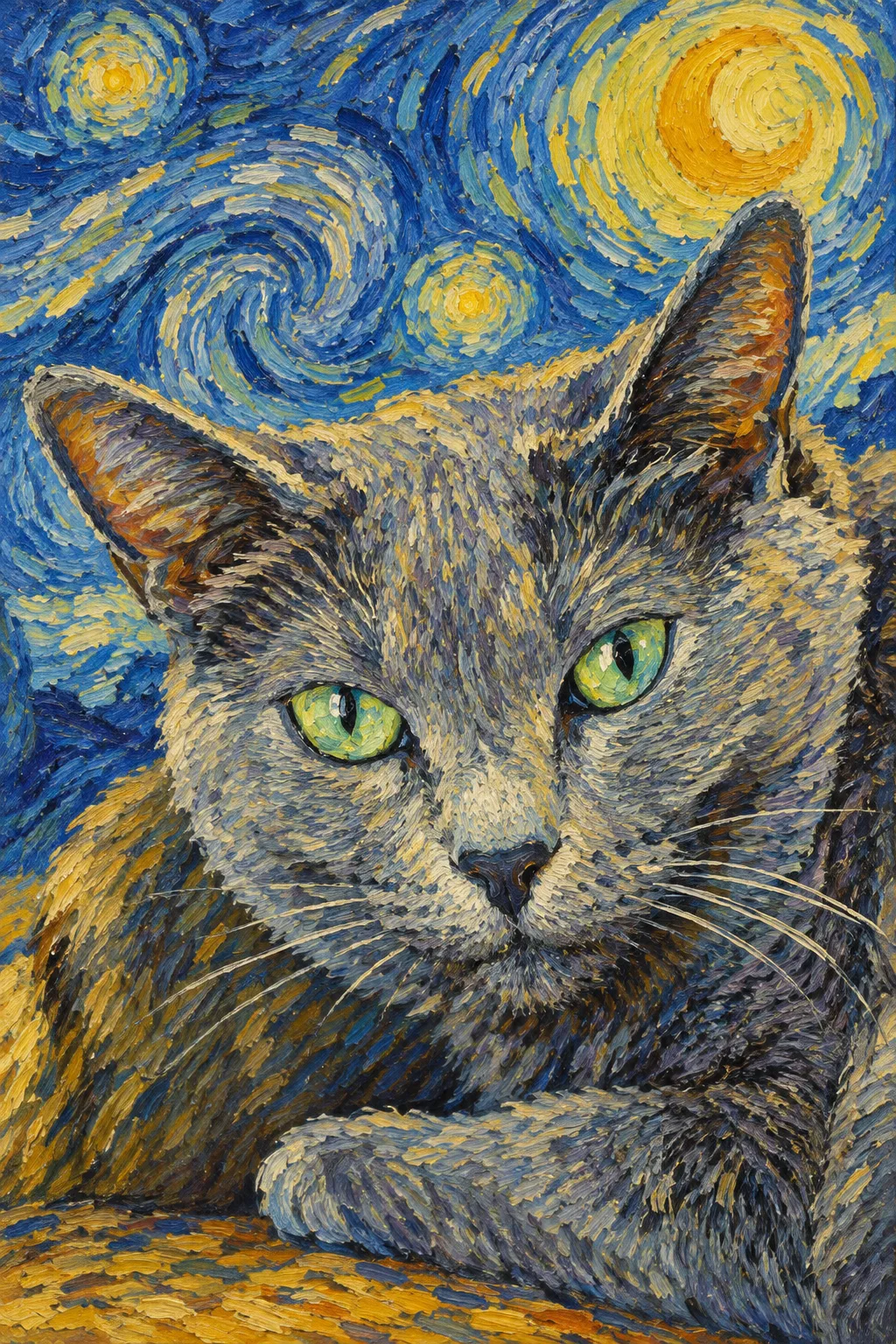
There is no special memorial style. The examples below use three of the styles on the free plan, each with a different feel: Monet keeps the place in the photo, Renaissance portrait gives a quiet, formal portrait on a dark background, and Van Gogh adds colour and movement.
Make a portrait from a photoThree pets, three styles
These paintings were made with the current image model and are shown unretouched, one result per style.
How it works
- Create a free account. If you sign up with an email address, open the verification email and click the link; the generator opens once your email is verified. Signing in with Google skips this step.
- Upload a photo: PNG, JPEG or WebP, up to 50 MB. Large photos are resized to 2048 px on the long side before upload.
- Choose a style in the style list, for example "Monet", "Renaissance portrait" or "Van Gogh", and press Transform Artwork. A painting usually takes under a minute.
- Download the painting as a PNG. It is also saved to the gallery in your account.
Tips for a good result
- Choose the photo that looks most like them to you. The painting follows the photo, so their usual expression and the way they held their head carry over.
- If the place in the photo matters, such as their bed or a favourite rug, choose Monet or Van Gogh. In the examples, Monet kept the old dog's rug, while Renaissance portrait replaced the kennel with a plain dark background.
- Older faces are kept. Both senior dogs above kept the grey around their muzzle and eyes.
- A photo of them lying down or looking away can still work: the black dog was resting and looking to one side, and the portrait is still clearly the same dog. A photo where the eyes are visible helps most.
- You can try more than one photo or style. Each painting counts as one image.
What to expect
- The painting is a new image, not a filter. The model repaints the whole photo, so the background, the pose and small details can change, and two runs on the same photo never give the same result.
- If the first result is not right, you can regenerate it with a short instruction of your own. The model does not always follow it exactly, and each regeneration counts as one image.
- Occasionally the image service declines an ordinary photo. You will see "Photo declined by the image service". Nothing is generated and no image is counted; trying again or using a different photo may work.
- Colours shift with the style. Van Gogh in particular adds blues and golds, as on the grey cat above, and Renaissance portrait adds a warm, aged tone. Look at the result before you share it; if something that mattered to you has changed, you can try again.
What it costs
The free Spark plan includes up to 10 generated images in total. Creator is $5 a month for up to 50 images a month, and Visionary is $20 a month for up to 400 images a month. The full details are on the pricing page.
Questions
- Is it free?
- You can try it free. The Spark plan includes up to 10 images in total, and Monet, Renaissance portrait and Van Gogh are included in it. After that, Creator is $5 a month for up to 50 images and Visionary is $20 a month for up to 400.
- Which style should I choose?
- It depends on the photo and on you. Monet keeps the whole scene and Van Gogh usually does, so they suit a photo of your pet in a familiar place. Renaissance portrait focuses on the face and replaces the background, so it suits a close photo.
- Can I use an old photo?
- Yes, as long as it is a PNG, JPEG or WebP file. Large files are resized automatically before upload. The clearer their face is in the photo, the more of it the painting can keep.
- What happens to my photo?
- Your photo and the painting are saved in the gallery in your account, where you can download or delete them.
- Do I need an account?
- Yes, a free one. If you sign up with an email address, you need to click the link in the verification email before the generator opens. Signing in with Google skips that step.