A royal portrait of your cat, in ermine and velvet
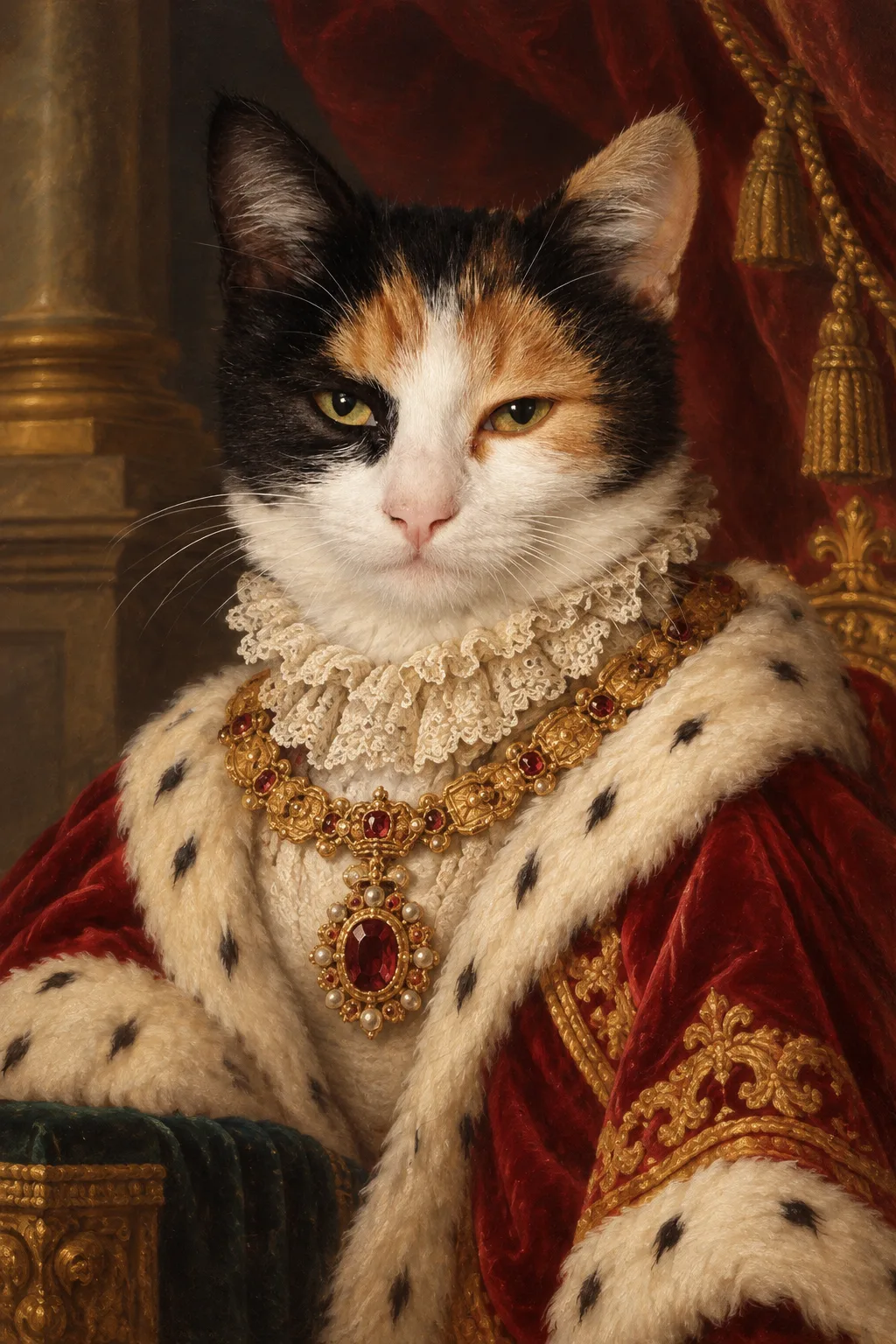
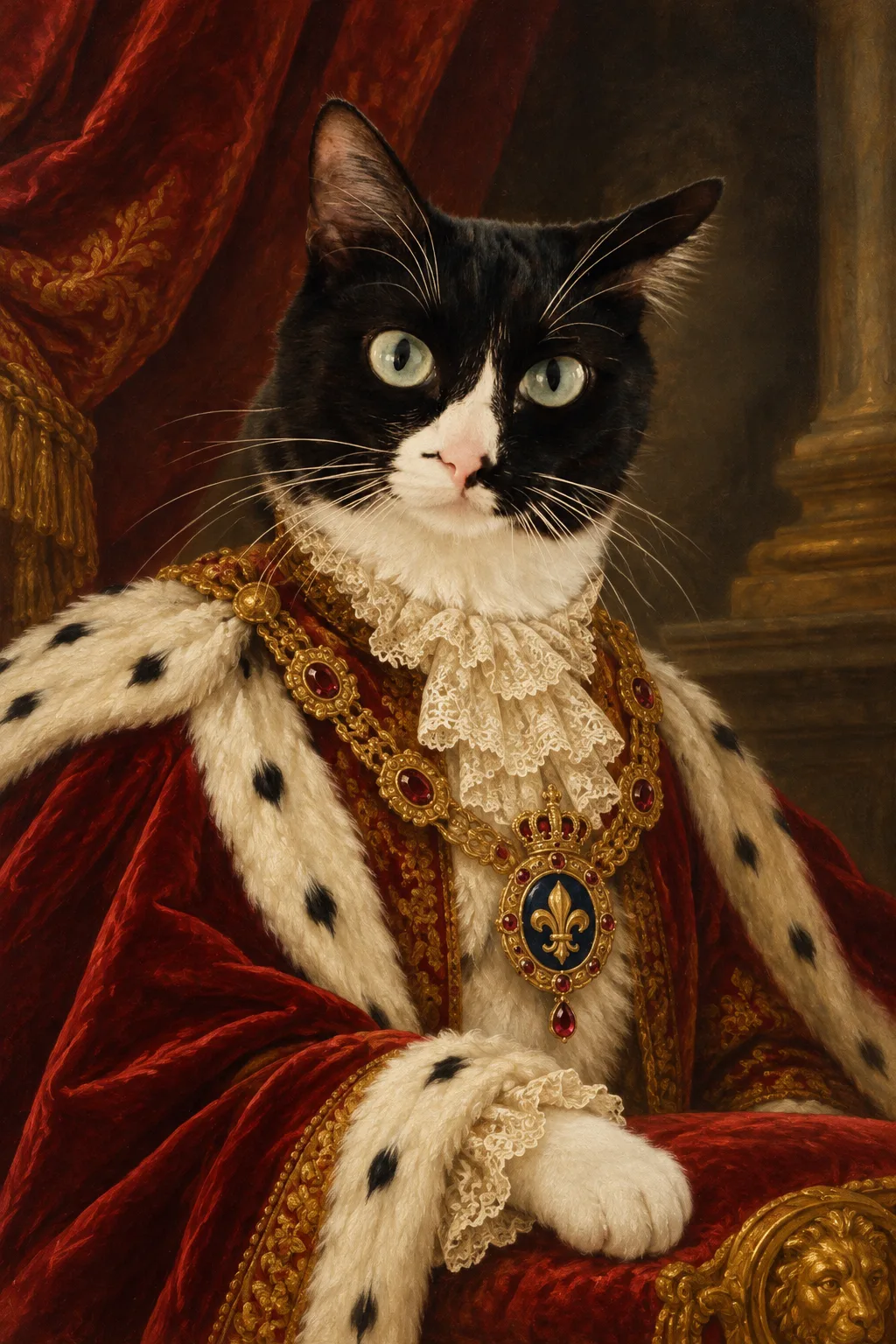
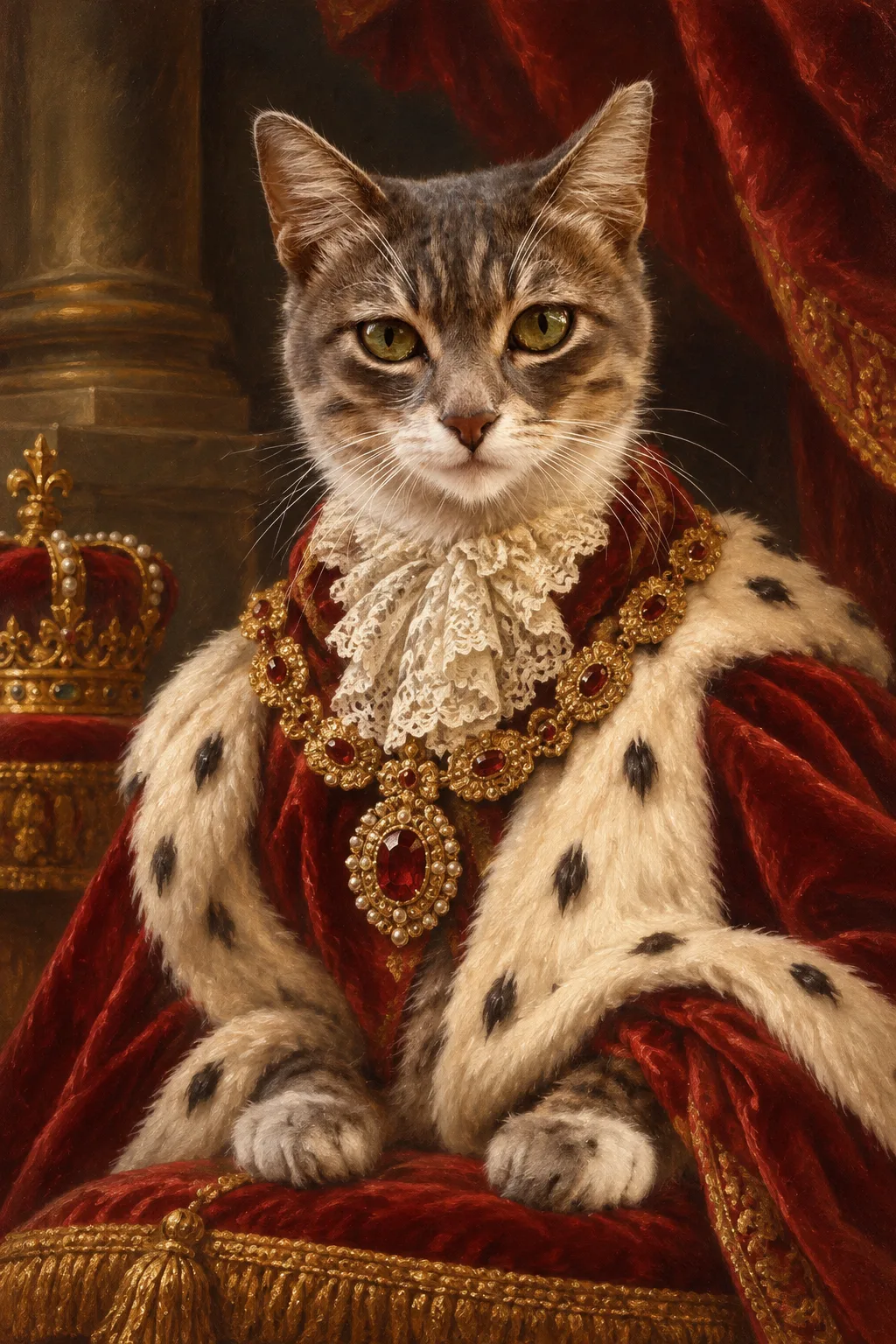
Upload a photo of your cat and Paintify repaints it as an 18th-century style court portrait: a red velvet robe trimmed with ermine, a lace collar, a jewelled gold chain and a draped curtain behind. The style asks the model to keep your cat's face, eye colour and markings.
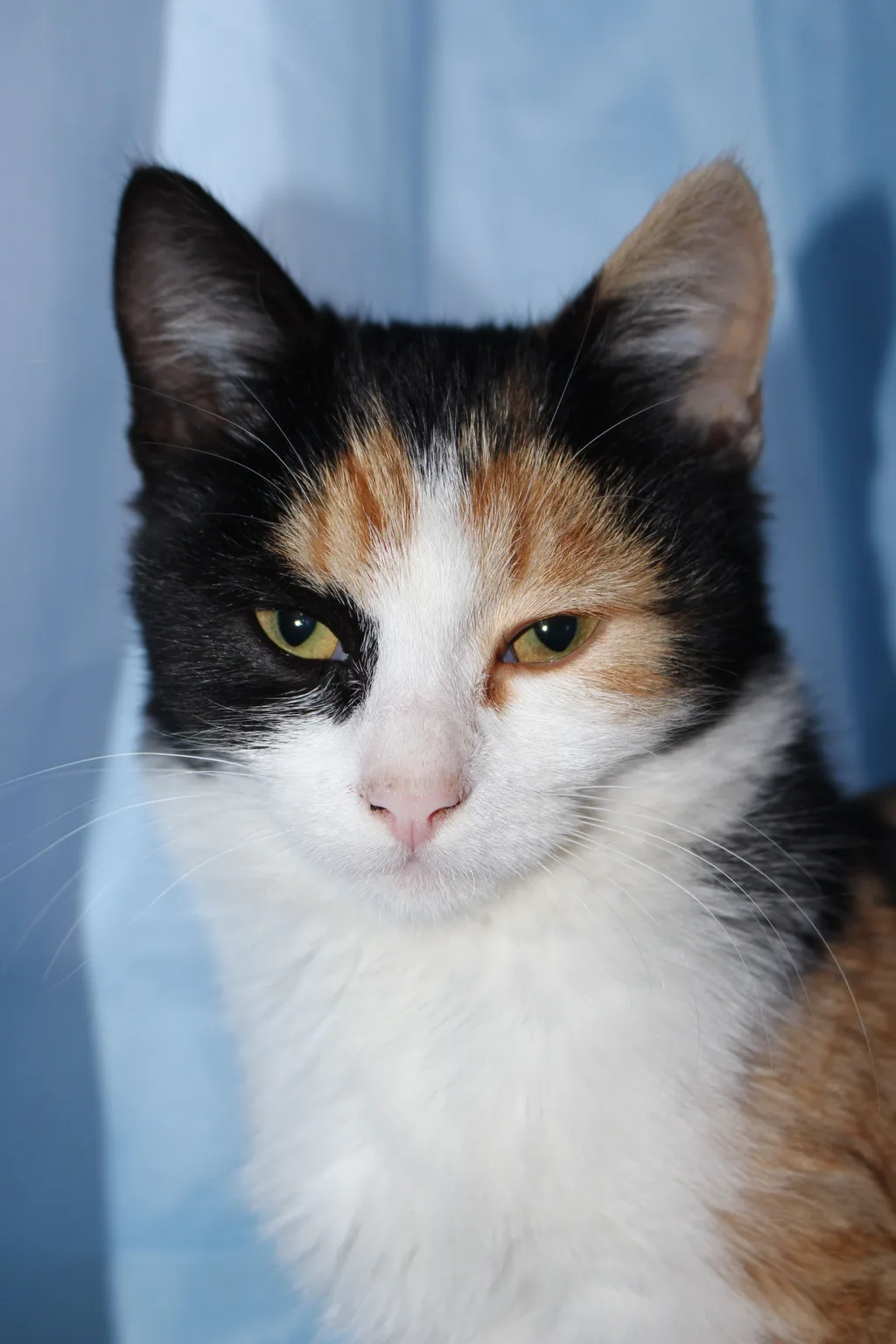
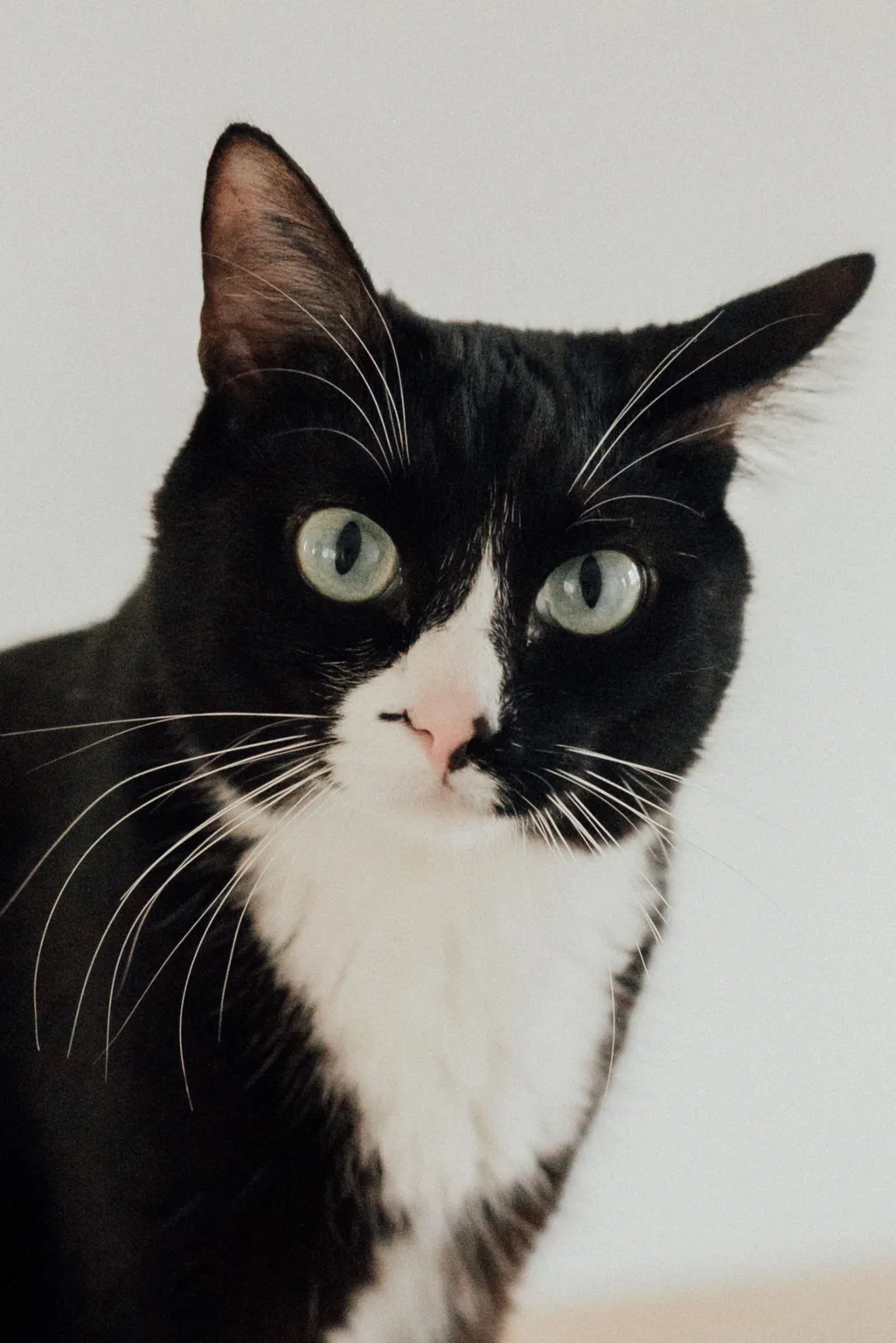
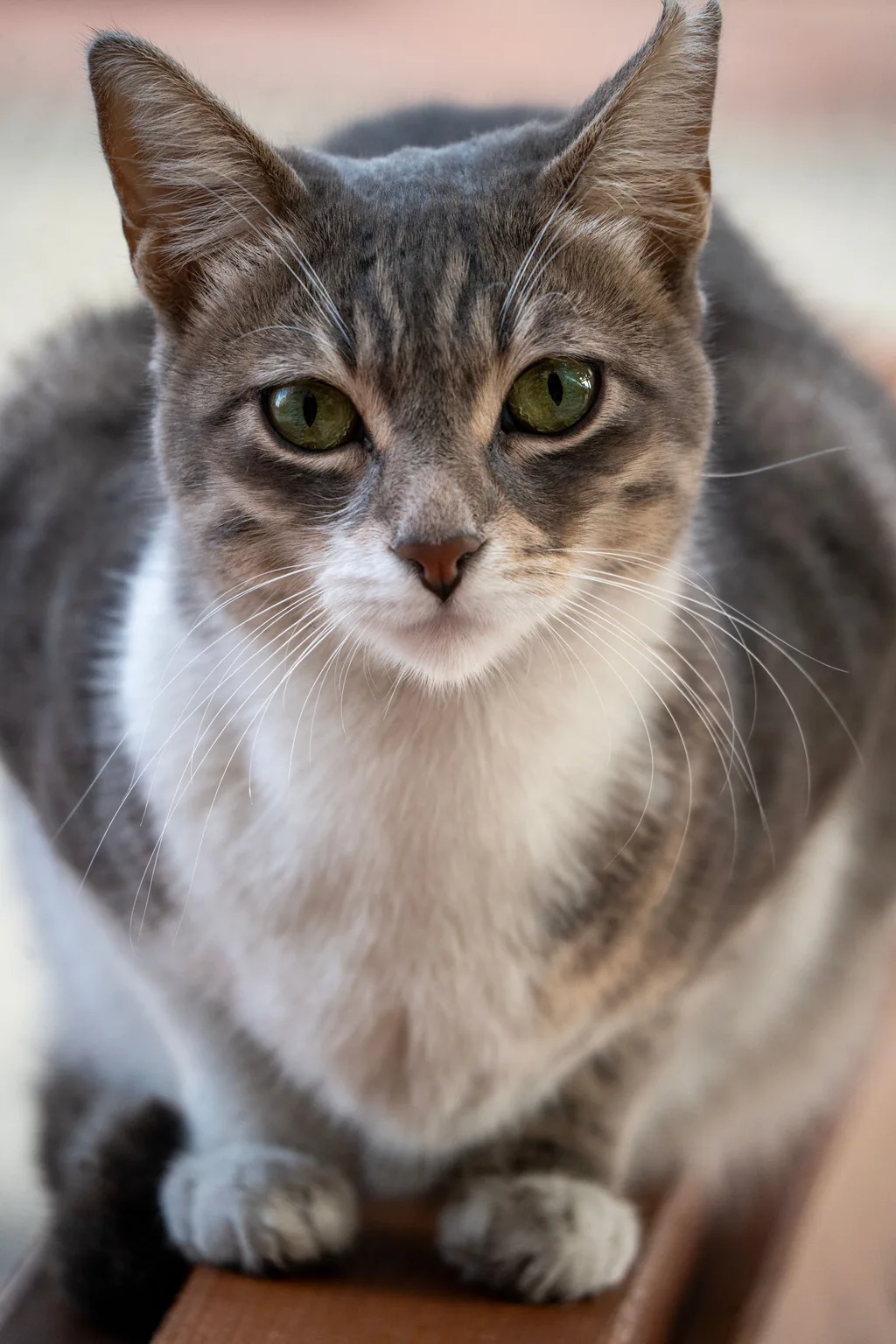
With cats, most of what makes them recognisable is in the face: the pattern around the eyes and nose, the eye colour, the ears. The three cats below were chosen for very different faces. Royal portrait is on the free plan, so you can try it on your own cat first.
Paint my cat as royaltyThree cats, before and after
These paintings were made with the current image model and are shown unretouched, one result per style.
How it works
- Create a free account. If you sign up with an email address, open the verification email and click the link; the generator opens once your email is verified. Signing in with Google skips this step.
- Upload a photo: PNG, JPEG or WebP, up to 50 MB. Large photos are resized to 2048 px on the long side before upload.
- Choose "Royal portrait" in the style list and press Transform Artwork. A painting usually takes under a minute.
- Download the painting as a PNG. It is also saved to the gallery in your account.
Tips for a good result
- Face patterns are kept closely. The calico's face, black on one side and orange on the other, the tuxedo's off-centre white blaze and the tabby's forehead stripes all match their photos.
- The eyes are painted as they are in the photo. The calico had one eye half-closed and so does its portrait. If your cat is squinting or blinking, pick another photo.
- White chests and bibs become lace. The tuxedo's white bib and the tabby's white chest were replaced by a lace jabot and the robe.
- Paws often stay. Two of the three cats kept their white front paws, resting on a cushion or on the robe, because their paws were visible in the photo. If you want paws in the portrait, use a photo that shows them.
- The model sometimes adds a crown that the style does not ask for: here, beside the tabby on a table. It did not put a crown on any of the cats' heads.
- Background colour does not matter. A blue curtain, a white wall and a soft pink background all became the same red curtain and gilded interior.
What to expect
- The painting is a new image, not a filter. The model repaints the whole photo, so the background, the pose and small details can change, and two runs on the same photo never give the same result.
- If the first result is not right, you can regenerate it with a short instruction of your own. The model does not always follow it exactly, and each regeneration counts as one image.
- Occasionally the image service declines an ordinary photo. You will see "Photo declined by the image service". Nothing is generated and no image is counted; trying again or using a different photo may work.
- Every cat gets much the same outfit: red velvet, ermine with black tips, a lace collar and a gold chain with a red jewel. What changes from cat to cat is the face, and that is what the style tries to keep.
What it costs
The free Spark plan includes up to 10 generated images in total. Creator is $5 a month for up to 50 images a month, and Visionary is $20 a month for up to 400 images a month. The full details are on the pricing page.
Questions
- Is it free?
- You can try it free. The Spark plan includes up to 10 images in total, and Royal portrait is included in it. After that, Creator is $5 a month for up to 50 images and Visionary is $20 a month for up to 400.
- Will my cat's markings show under the robe?
- Face markings and eye colour were kept on all three cats here. Markings on the chest and body are covered by the robe and lace collar; front paws are often painted if they are visible in the photo.
- Why is there a crown in the picture?
- The model sometimes adds one even though the style does not ask for it. In our three examples it appeared once, on a table beside the cat. You can regenerate with an instruction such as "no crown"; the model does not always follow instructions exactly, and each regeneration counts as one image.
- My cat never looks at the camera. Will it still work?
- A photo with the face turned slightly away can still work, as with the tuxedo cat's tilted head. The likeness comes from the face, so the clearer the eyes and face pattern are in the photo, the closer the portrait will be.
- Do I need an account?
- Yes, a free one. If you sign up with an email address, you need to click the link in the verification email before the generator opens. Signing in with Google skips that step.
- Can I download the painting?
- Yes. Each painting downloads as a PNG and is also saved to the gallery in your account, where you can delete it at any time.